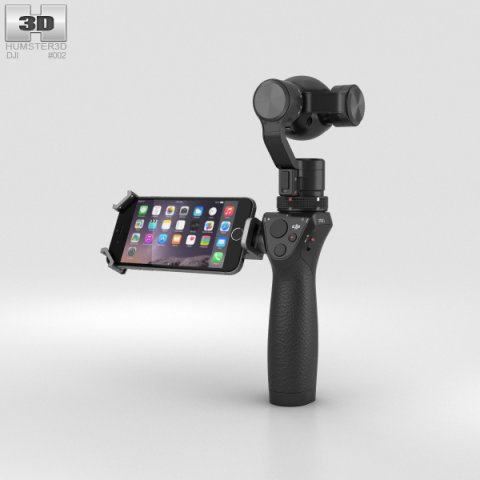
The 3D model was created on real base. It’s created accurately, in real units of measurement, qualitatively and maximally close to the original.Model formats:- *.max (3ds Max 2008 scanline)- *.max (3ds Max 2008 vray)- *.fbx (Multi Format)- *.obj (Multi Format)- *.3ds (Multi Format)- *.mb (Maya 8.5)- *.lwo (Lightwave 6)- *.c4d (Cinema 4D 11)* renders Are made in 3ds Max 2008 using vray 1.5 (studio environment is not included in the set)If you need any other formats we are more than happy to make them for you.The model is provided combined, all main parts are presented as separate parts therefore materials of objects are easy to be modified or removed and standard parts are easy to be replaced. If you experience difficulties with separating standard parts we are more than happy to give you qualified assistance.We greatly appreciate you choosing our 3D models and hope they will be of use.We look forward to continuously dealing with you.Sincerely Yours,Hum3D Team
Tag: gimbal
-
Gimbal light Twist 1-40 Free 3D Model
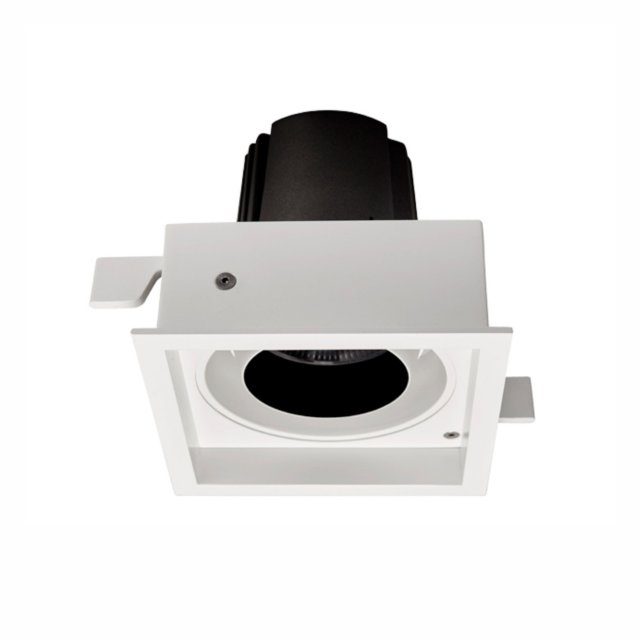
The most powerful luminaire capable of adjusting the luminous flux in the desired direction is a single luminaire “Twist 1-40″. Gimbal light direction adjustment mechanism allows you to fine-tune the light exposure to light commercial spaces and rooms with high ceilings and a large area.In addition, these small but powerful spotlights are used to illuminate objects on the wall or in the immediate vicinity thereof, i.e. as wallwasher (wallwasher).Lamps with power of 40W perfectly proved for illumination of shopping centers, shops, motor shows. High color rendering of all line of lamps of the Armator company allows to apply this lighting equipment to illumination of offices, shops, houses and other rooms.Lamp “Twist 1-40” has a luminous flux of 3363 LM and a degree of protection IP54. A good choice would be the lamp, if you need to illuminate the room with high humidity.
-
Gimbal light Twist 1-20 Free 3D Model
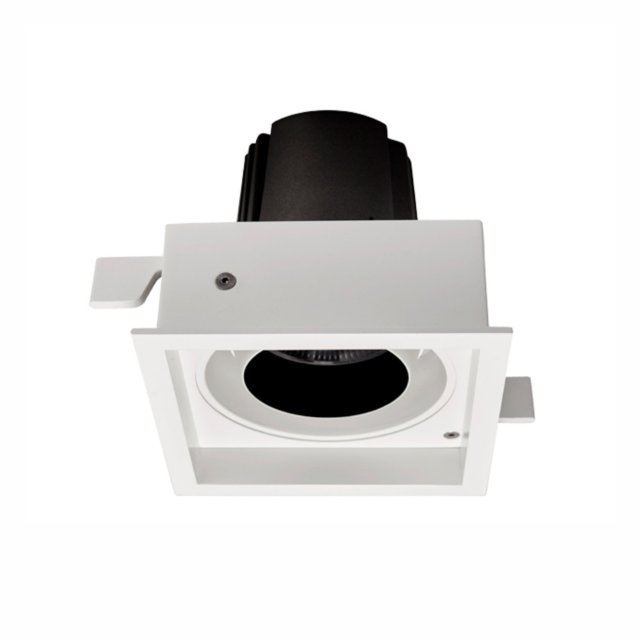
In rooms where the exact adjustment of light exposure for expressive illumination of objects is especially required, as anywhere the mid-size single lamp “Twist 1-20” with the gimbal mechanism of adjustment of the direction of light will successfully approach. This mechanism favorably regulates the luminous flux in the desired direction, which makes it possible to use these small spotlights as wallwasher (wallwasher).Especially this series of lamps successfully proved in commercial projects with low ceilings. High color rendering of all line of lamps of the Armator company allows to apply the light equipment for illumination of offices, shops, houses and other rooms.Lamps “Twist 1-20” are twenty watt devices with a luminous flux of 1489 LM. Increased IP54 protection and allows the use of this series in high-humidity areas.
-
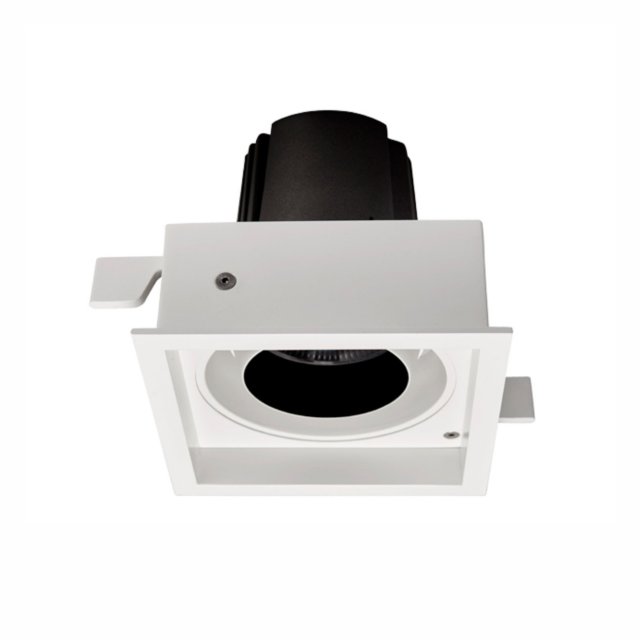
Gimbal light Twist 1-20 Free 3D Model
In rooms where the exact adjustment of light exposure for expressive illumination of objects is especially required, as anywhere the mid-size single lamp “Twist 1-20” with the gimbal mechanism of adjustment of the direction of light will successfully approach. This mechanism favorably regulates the luminous flux in the desired direction, which makes it possible to use these small spotlights as wallwasher (wallwasher).Especially this series of lamps successfully proved in commercial projects with low ceilings. High color rendering of all line of lamps of the Armator company allows to apply the light equipment for illumination of offices, shops, houses and other rooms.Lamps “Twist 1-20” are twenty watt devices with a luminous flux of 1489 LM. Increased IP54 protection and allows the use of this series in high-humidity areas.
-
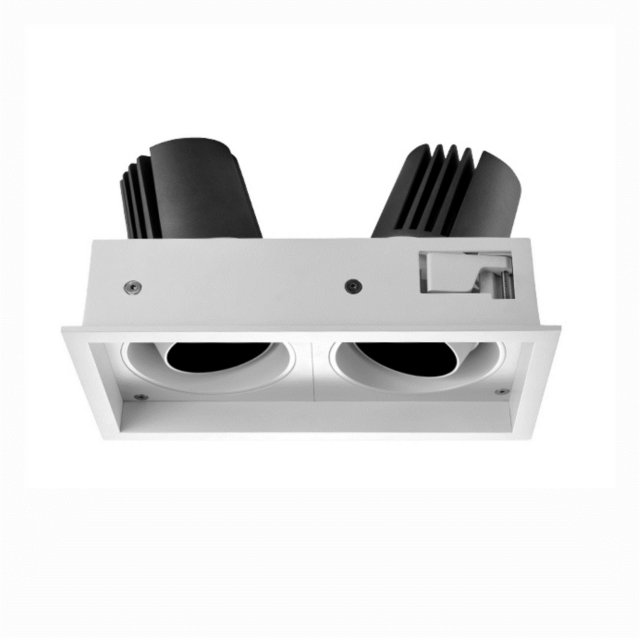
Gimbal light Twist 2-40 Free 3D Model
Powerful double downlight ” Twist 2-40”The luminaire of this series “Twist” is distinguished by the fact that it is the most powerful double luminaire with gimbal mechanism for adjusting the direction of light. The gimbal mechanism allows you to direct the light flux of your choice and helps you fine-tune the light exposure in the room.Due to the high power, the lamps have proven themselves in the lighting of commercial spaces and rooms with high ceilings and a large area, as well as shopping centers, shops, showrooms. High color rendering of all line of lamps of the Armator company allows to apply this lighting equipment for illumination of offices, houses and even to use them as wallwasher for illumination of subjects on a wall or near it.With a high power of 40 W and a luminous flux of 6726 LM, they can be guaranteed to work for a long time in areas with high humidity.The degree of protection of the lamp IP54.
-
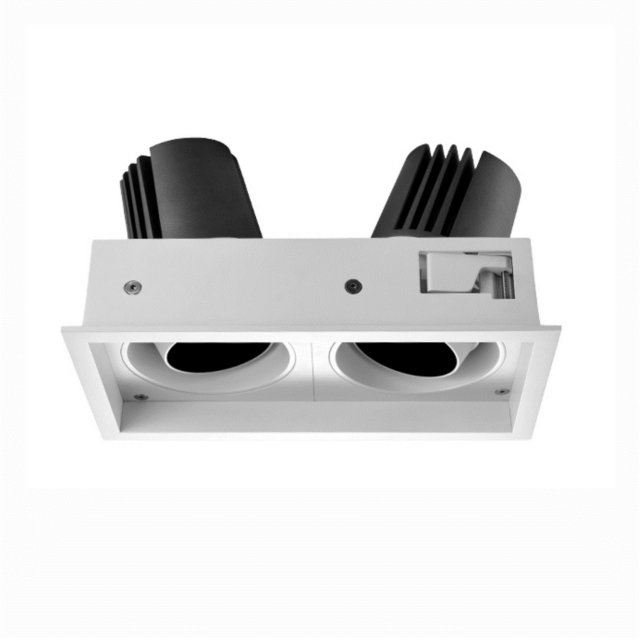
Gimbal light Twist 2-20 Free 3D Model
A distinctive feature of the “Twist 2-20 ” luminaire is its average size and the presence of two light modules. Will make a good choice of this lamp is that it has a gimbal mechanism to adjust the direction of light. This mechanism allows you to adjust the luminous flux in the direction you choose and fine-tune the light exposure in the room. These small spotlights “Twist 2-20 ” can also be used as wallwasher (wallwasher) for lighting objects on the wall or in the immediate vicinity.Lamps with a power of 20 W and above perfectly proved for illumination of commercial spaces and rooms with low ceilings. High color rendering of all line of lamps of the Armator company allows to apply also the light equipment for illumination of offices, shops, houses and other rooms.”Twist 2-20″ – a lamp with a total capacity of 40 watts with a luminous flux of 2978 LM. A high degree of protection
-
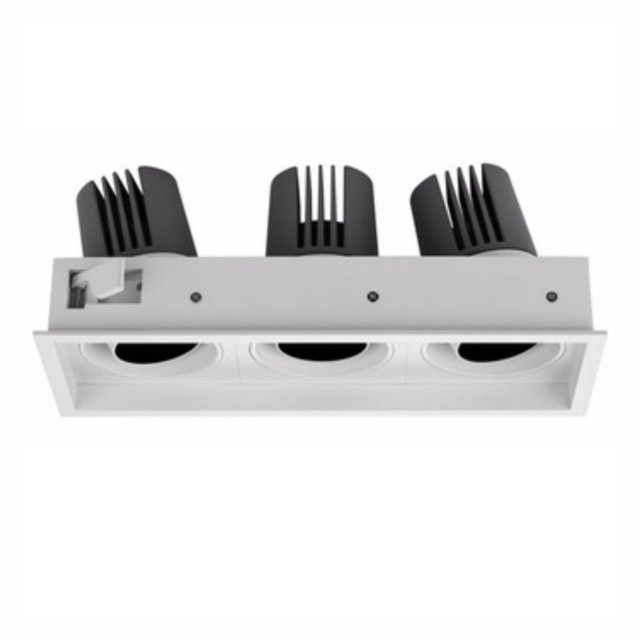
Gimbal light Twist 3-20 Free 3D Model
Light fixture with gimbal mechanism for adjusting the direction of light ” Twist 3-20”Lamp “Twist 3-20″ refers to the midsize. Due to the high color rendering 80+Ra, these Armator lamps are used as lighting equipment for lighting offices, shops, houses and other premises.Differs from other lamps with the gimbal mechanism of adjustment of the direction of light that have three light modules. The gimbal mechanism is designed to regulate the luminous flux in the right direction, which accurately adjusts the light exposure in the room.Most successfully, these small spotlights are used as wallwasher (wallwasher) to illuminate objects on the wall or in the immediate vicinity thereof.Lamps with three light modules with a capacity of 20 W and above have proven to be excellent for lighting commercial spaces and rooms with low ceilings.”Twist 3-20” – lamp with a total capacity of 60 W and a powerful luminous flux 4467 LM has
-
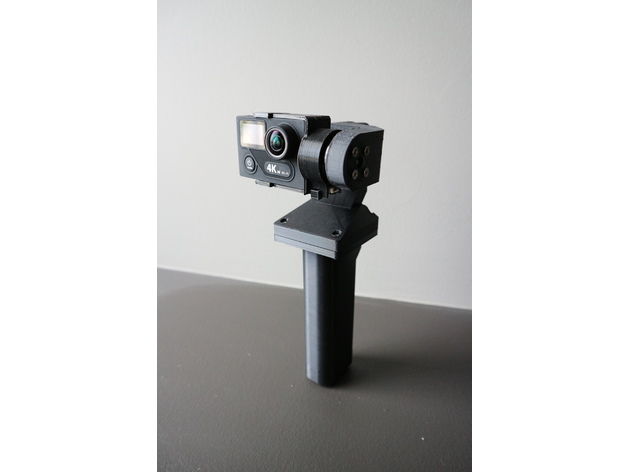
YAPM Handheld Brushless Gimbal 3D Print Model
Summary
Yet Another Poor Man’s Handheld Brushless Gimbal
Ever since I got the Mavic pro i haven’t been using my home built drones for aerial photography anymore. So I figure I’ll turn my cheap chinese 2 axis brushless gimbal into a handheld one so i can use it when i go traveling.
I’ve looked at the other designs on thingiverse but i didn’t like that they all left wires hanging about in the open. No offence to the other designers… I wanted one that would look much cleaner and travel better without having to worry about wires snagging on stuff. So I set out to design my own.
I designed this to be used with an EKEN H8 Plus and action cam with the same body format as Gopro Hero 3.
This design makes use of contact adhesive to glue the parts together and requires soldering and basic electronics skills. Some filing and fitting of the parts may be required. Do not attempt if you have a problem with any of the above.
Print Settings
Printer Brand:
Prusa
Printer:
i3 MK3
Rafts:
No
Supports:
Yes
Resolution:
.20
Notes:
Infill doesn’t matter as most of the parts are “thin wall” so most slicers would automatically do 100% fill anyways.
I printed this in PLA and the parts fit quite nicely. Where it’s too tight i used a file or sand paper to open it up a little. if printing in ABS it will shrink and make it too tight for the motors to move freely, so scale it up appropriately. I haven’t printed this in ABS so i can’t say how much to scale up.
Post-Printing
0. Required parts
Printed parts
No name chinese 2 axis gimbal like this one https://goo.gl/GvutmB
Mini rocker switch like this one https://goo.gl/tPpHTY
RC radio battery like this one https://goo.gl/znMdYC
JST connectors like these https://goo.gl/r9qnca
4 M3 x 14mm bolts and nuts, i recommend just getting a box of assorted ones like these https://goo.gl/eiZ4qW
Heat shrink tubing to fit over the legs on the power switch
Contact adhesive to glue PLA parts together
1. Disassemble the aluminium gimbal
Disassemble the aluminium 2 axis gimbal.
Remove all the header pins and the JST power connector on the control board.
I chose to eliminate header pins to make it more compact, the motor wires will need to be direct soldered to the pads during assembly. Make note of which wire connects where if necessary.
2. Remove support material
Remove support material from the parts. The support material inside the wire ways is a pain to remove; some spit grit and good ol’ elbow grease may be needed here.
It may be possible to print the motor arms without supports, but that will depend on your particular printer’s abilities with overhangs. i opted to go through the work of removing support just to make sure everything comes out right.
Take this time to ream out all the bolt holes with a drill bit.
3. Glue parts together
Apply contact adhesive to flat flared part of the part named “handle” and glue it to the flat side of the part named “bottom case”. Try to get the back edge to line up and left right centered on the bottom case. I measured the distance on each side and marked the position by scoring with an exacto blade to help me position the handle.
Take the part named “top case” and the part named “roll motor”. Use a file and an exacto blade to get the mating surfaces free of residual support material and as flat as possible. Apply contact adhesive to the indent in the top case around the opening and glue the “roll motor” part to the top case.
Take the parts collectively named “camera mount” and glue the two larger parts together. refer to the pictures to see how it’s supposed to go together.
The little “M” shaped clip is to hold the IMU sensor in place and will be needed during assembly.
Set aside and allow adhesive to cure.
4. Mounting the motors
Take the IMU sensor liberated from the aluminium gimbal and disconnect the cable on both ends. Feed the cable through the wireway in the part named “pitch motor”.
Take one of the brushless motor that was liberated from your aluminium gimbal, feed the motor wires through the part named “pitch motor” from the opening with the 4 hole bolt pattern and mount the motor with the 4 M3 screws that came with the original gimbal. You may choose to use other bolts, but be careful not to choose ones that are too long as it will damage the motor windings.
The parts was designed such that where the wires comes out of the motor points directly down the wireway. There is a gap between the motor and the edge of the opening on the inside face of the arm to accommodate free movement of the IMU sensor cable.
Now take the “pitch motor” assembly and feed the motor and IMU sensor wire through the gap between where the other motor goes on the “roll motor” part and then down the wireway and through the opening in the top case.
Take the other brushless motor and feed the motor wire down through the wireway the same as the other wires and mount the motor onto the part named “roll motor”. Also mount the pitch motor assembly to the roll motor.
Rotate the assembly throughout its range to ensure there is enough free play such that the wires are not strained from the movement. I used tweezers to reach in and pull some wire back into the wireways so that there’s some slack to allow for free movement.
5. Wiring it up
At this time the control board should be relieved of its header pins and power connector.
Solder a JST female connector to the mini rocker switch in series on the negative (black) side of the wire. Put some heat shrink tubing over the legs on the switch to give it some protection. Now feed the wires coming from the switch through the switch opening on the handle and snap the switch into place. bring the wires to be soldered onto the control board up through the bottom case opening and solder them to the control board.
Observe correct polarity as there is no diode protection on these boards. A mistake here could let out the magic smoke and render the board defunct.
Now take the top case/roll motor/pitch motor assembly. There should be 3 sets of wires dangling down from the top case wireway opening as follows
IMU sensor cable
Roll motor wires
Pitch motor wires
Cut the connectors off the motor wires, strip the wires and solder onto the corresponding solder pads on the control board as noted in step one during disassembly.
6. Affix the IMU sensor, camera mount
Place the IMU sensor into the slot on the camera mount and install the “M” shaped clip. The IMU sensor should be affixed into place. Run the IMU sensor cable along the space around the motor and connect to the IMU sensor. Mount the camera mount onto the pitch motor with the 3 screws that came with the original gimbal.
Rotate the camera mount assembly 180 degrees and ensure there is enough slack in the IMU sensor cable to allow for free movement.
Connect the other end of the IMU sensor cable to the control board.
7. Apply power and test
As i didn’t design an opening to allow for USB connection for PID tuning, at this point i recommend connecting the battery and testing before final assembly.
Just like tuning the gimbal on a drone, the action cam should be installed in the camera mount for weight balance.
8. Case closed
Use 4 M3 x 14mm bolts and nuts to assemble the top case and bottom case assembly together with the control board in between. The top case was designed with enough space to hide all the wires inside without pinching them, but do be careful not to pinch any in between the bolt posts.
Now the gimbal should be ready for action. Connect the battery and shove it up the handle, shove the extra wires and connects from the battery in the free space around the battery. Snap in the pommel cap. The positioning tabs on the cap may need to be filed down a bit for an easier fit.
Enjoy. -
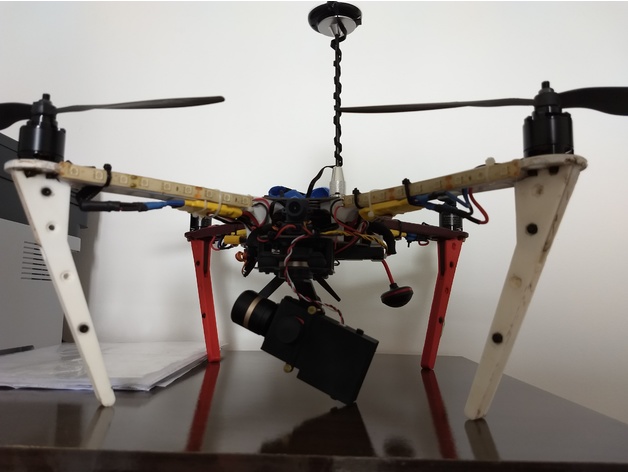
Adapter for gimbal Tarot T3D III to F450 3D Print Model
Summary
Simple adapter to fix the gimbal Tarot T3D III to the F450 frame.
I used this (https://www.aliexpress.com/item/100pcs-M2-OD-3-2mm-Injection-Molding-Brass-Knurled-Thread-Inserts-Nuts/32815787260.html?spm=a2g0s.9042311.0.0.Z6BrEm) to screw the gimbal to the adapter. -
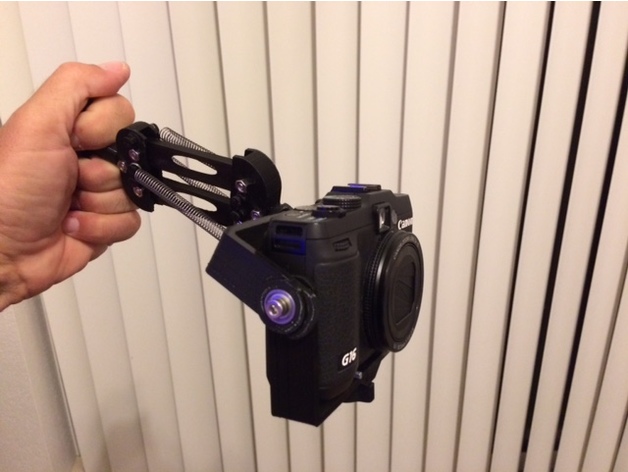
Mini Camera Gimbal 3D Print Model
Summary
Alright, well don’t get your hopes up. Without dampers, better bearings, stiffer chassis and the ability to make fine adjustments a selfie stick still works better. However this does demonstrate the general principle.
It is designed to use 624ZZ bearings like these: https://www.amazon.com/gp/product/B071CFN91S
M4 nuts/bolts like these: https://www.amazon.com/gp/product/B017N7ZI72
Springs like these: https://www.homedepot.com/p/Everbilt-Spring-Assortment-Kit-84-Pack-13554/203133714
However you can get the general idea using the printed bearing and pin with a few rubber bands.
Print Settings
Printer Brand:
Prusa Printer:
Prusa Clone Rafts:
No Supports:
Yes Resolution:
I used 0.2 with a 0.3mm nozzle Infill:
20% Notes:
Lay the struts, gimbal and platform pieces down flat so the “grain” goes the right way for strength.
Post-Printing
Assembly:
Press in the bearings and screw the parts together. The Mount piece has a slot to insert a nut.
There are several pegs to use for the springs, pick a set of springs and pegs that work with the weight of your camera.
The mount was made for my G16 which is a larger point and shoot camera. You will probably have to shim the camera up until it just rights itself.
Warning! Use a wrist strap attached to the camera or photograph over a pillow. -
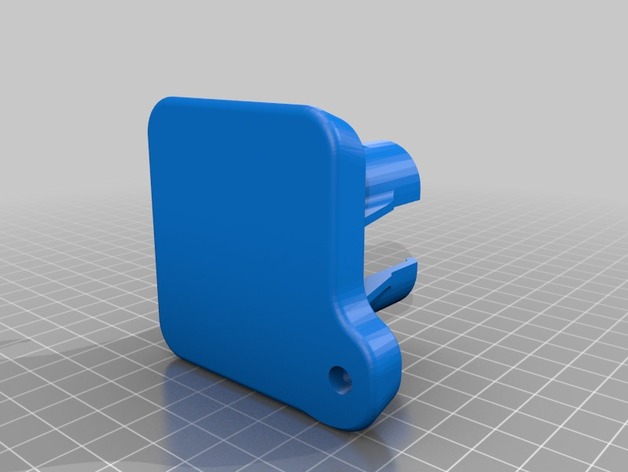
Plate Adapter for Gopro Session for Zhiyun Gimbal 3D Print Model
Summary
Center Mount Plate Adapter for Gopro Session for Zhiyun Gimbal
Print Settings
Printer:
CR10 Rafts:
No Supports:
No Resolution:
.2 Infill:
20 Notes:
you have to have a 12mm steel dowel mounted with a 6mm screw to make this balance -
Bugs 3 drone Walkera gimbal mod 3D Print Model
Summary
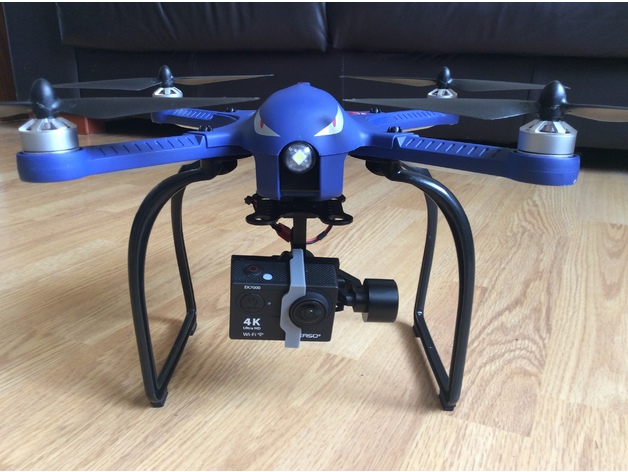
This simple but effective mod allows you to fit a Walkera G2D gimbal to the stock camera mount fitting beneath the battery.
Allows for quick and easy fitting and removal of the gimbal.
I used this clip to secure my Akaso EK700 camera …. https://www.thingiverse.com/thing:1795933
And this is the landing gear I use ….. https://www.amazon.co.uk/gp/product/B06VV21JYF/ref=oh_aui_detailpage_o00_s00?ie=UTF8&psc=1
I had to drill the screw holes a bit wider in this landing gear as they didn’t quite line up with the Bugs 3.
First test with the gimbal fitted ….. https://www.youtube.com/watch?v=FKtRV4nx8h4&feature=youtu.be
Gimbal mount adapter :
Fix the adapter to the gimbal mounting plate with 2 screws and nuts (see pictures above).
Gimbal power :
I used the balance port from the stock battery to power the gimbal.
Remove the female connector and middle wire from a 2s lipo balance expansion cable and splice it to the cable with the 2 pin female connector that comes with the gimbal. -
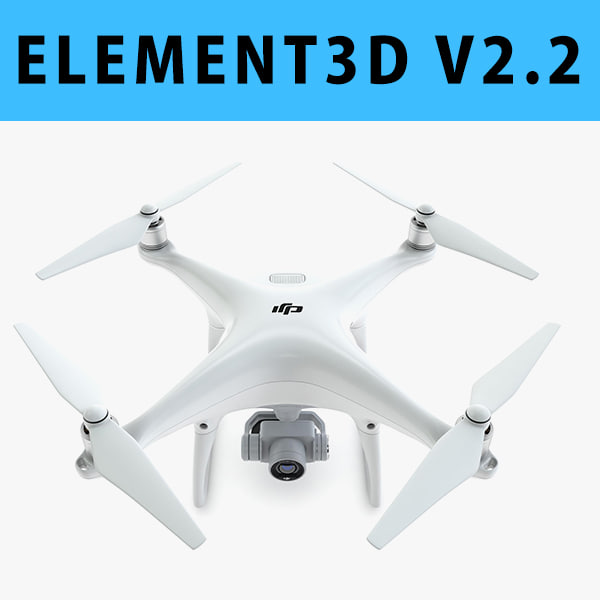
E3D – DJI Phantom 4 PRO 3D model 3D Model
This pack:Element 3D V2.2 ( All colors )models preset easy to use- 1 file OBJ High poly- 1 file OBJ standard- 1 file C4D R12 standard render- 1 file 3ds max 2012 standard material- E3D file full materials set up like previewsHow to use it?1. Open After Effects CC 2014 ( or higher) and create new composition ( You need Element3D V2.2 to use )2. Create new Solid layer and add Element effect. ( Effect/Video Copilot/ Element )3. Click Scene Setup4. Click on IMPORT inside Element3D scene setup5. Choose my .e3d preset for the model and press Open.If you dont see the model do not forget to right click on the model name and press Replace model then select the .obj model file in the respective models folder.