Rating: 0.00, Vote(s): 0
Tag: elementary
-
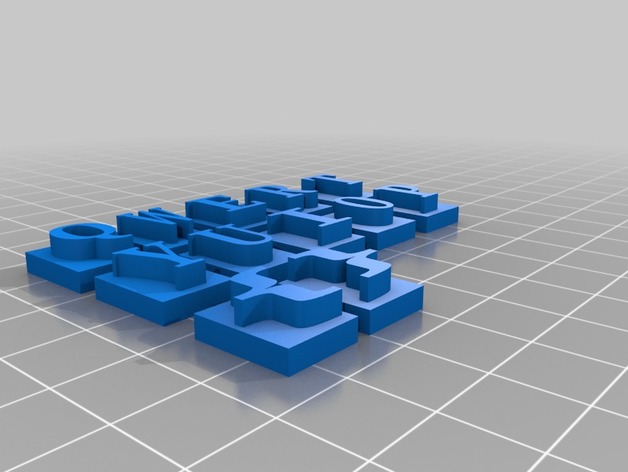
Raised Keyboard Letters – Elementary School 3D Print Model
Summary
An overlay of important keyboard features geared toward students who are visually impaired based on feedback by vision therapists. This tactile keyboard enlarges letters to more than 200% of their original size on a standard keyboard, and can be color coded. A great way to introduce keyboarding to younger students as well!
Print Settings
Printer Brand:
MakerBot
Printer:
MakerBot Replicator Mini+
Rafts:
Yes
Supports:
No
Resolution:
0.3mm
Infill:
Diamond (fast)Post-Printing
1) remove from raft
2) adhere to standard keyboardImmediately after printing (on print bed)
Red Letters (TOP ROW) removed from raft. NO post-processing necessary.
Blue letters (MIDDLE ROW) removed from rafts. NO post-processing necessary. The ;: and ” ‘ are delicate
Keyboard with sharpie (modified)
Keyboard with 3D Printed Tactile Letters (modified)
How I Designed This
Tinkercad
Block tool (14x11x3mm for the base) and standard text (sizing in approximate for most letters of 11.5×6.5x6mm) groupings.Standards
CCSS
Overview and Background
Standards Met (CCSS)
Writing – CCR.6 =
Grade 3: With guidance and support from adults, use technology to produce and publish writing (using keyboarding skills) as well as to interact and collaborate with others.
Grade 4: With some guidance and support from adults, use technology, including the Internet, to produce and publish writing as well as to interact and collaborate with others; demonstrate sufficient command of keyboarding skills to type a minimum of one page in a single sitting.
Grade 5: With some guidance and support from adults, use technology, including the Internet, to produce and publish writing as well as to interact and collaborate with others; demonstrate sufficient command of keyboarding skills to type a minimum of two pages in a single sitting.
Grade 6: Use technology, including the Internet, to produce and publish writing as well as to interact and collaborate with others; demonstrate sufficient command of keyboarding skills to type a minimum of three pages in a single sitting.
Lesson Plan and Activity
Objectives for 3D Keyboard with Students
Tactile keyboard with color coordination for visually impaired elementary school students learning finger placement or letter recognition while interfacing with a computer. The 3D printed letters in a bold color (organized by top, middle and lower row) help students focus their attention while searching for keys. In addition, the raised letters are 200% larger than the printed type on the standard keyboard.
Materials Needed
Requirements:
~2 contrasting PLA Filament Colors
*after the final layer of the base blocks are complete, pause the printer if you have a single color printer (like the MakerBot Replicator Mini+). Change the PLA color to a contrasting color to the base block, and resume the print job. In this way, the raised lettering will be more visible to students. -
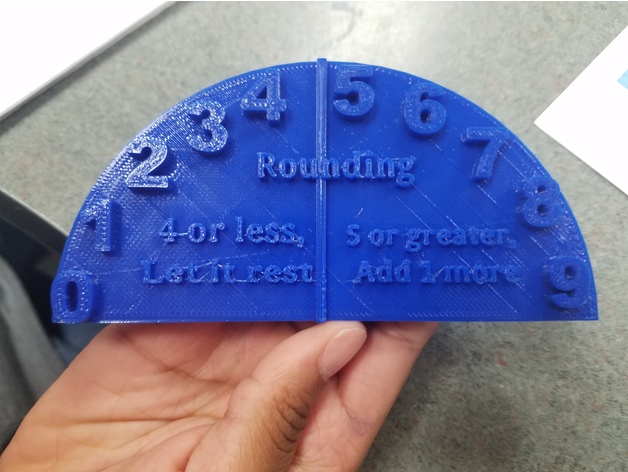
Rounding Hill for Elementary School Students 3D Print Model
Summary
This is a tool to help students achieve a concrete understanding on how to round numbers.
Print Settings
Printer Brand:
FlashForge
Printer:
Finder
Rafts:
Yes
Supports:
Doesn’t Matter
Resolution:
Default
Infill:
Default
Notes:
I used a raft to help with the curling issues that I had been having.Standards
CCSS
Overview and Background
Overview
Students will learn how to round a number.
Lesson Plan and Activity
Lesson Plan
Teacher will show students how to round a number, such as 12 on chart paper. Students will copy the anchor chart in their Student Journals.
Step 1:
Teacher will show students to find their number and underline it. If rounding to the tens place, that would be the 1.
Step 2:
Teacher will show students to “look next door” to the right, which will show the underlined number what to either round up or round down. The number in the example is 2.
Step 3:
Teacher will show students that if the number on the right is 4 or less to “let it rest” and keep the underlined number the same.
Step 4:
Teacher will show students that if the number is 5 or greater, to add 1 more to the underlined number.
Step 5:
Teacher will make sure students understand that all numbers after the underlined number will become a Zero, and that numbers before the underline will not change.
Students will take a look at the “Rounding Hill”, which will show the concrete example of rounding. Students will imagine a toy car stopping on the numbers. If the car stops on or before the 4, the toy car will be pulled by gravity back down to the 0, and will let the underlined number rest. If the toy car stops on or after the 5, gravity will pull the car down to the right side, signifying that they will add 1 more to the underlined number.Anchor Chart
Materials Needed
Materials Needed
Student Journals, Pencils, Chart Paper, Markers, Rounding Manipulatives.
Skills Learned
Rounding
Number Sense
Math
Duration of Lesson
15-30 Minutes
Preparation
Preparation
Gather materials, print out several Rounding Manipulatives. -

Abacus Toy 3D Model
An Abacus (counting frame) toy 3D model.Game/Production-ready 3D Model, with PBR materials, textures, and non overlapping UV Layout map provided in the package.Easily customizable: you can create or edit the Textures using the non overlapping UV Layout maps and the Diffuse (Albedo) Textures provided in the package (see preview images).Each Object, Material or Texture provided in the package has a unique, meaningful name.Made in Blender 3D (Cycles materials) and in 3D Studio MAX 2012 (V-Ray Adv 2.30.02), then exported to other formats.PROMO IMAGES: the first image has been rendered in Cycles for Blender 3D 2.7x, the second image has been rendered in V-Ray Adv 2.30.02 for 3DS MAX 2012 (native file format); in particular, you can find 14 promo images in this description:* nr. 1 rendered in Cycles* nr. 2 rendered in V-Ray Adv 2.30.02;* nr. 3-4-5-6-7 rendered in Cycles;* nr. 8-9 are wireframe images;* nr. 10-11 are screenshots from the Blender 3D scene, showing the UV Layout;* nr. 12 is a screenshot with rendering in 3D Studio MAX 2012 + V-Ray Adv 2.30.02;* nr. 13 is a screenshot from Unity 5;* nr. 14 is a screenshot from Unreal Engine 4.Formats included: 3DS, FBX, OBJ, unitypackage (Unity 5, with Metallic Workflow Standard Shader materials and textures; see preview images), Unreal Engine 4 (Migration Folder); scenes: 3D Studio MAX 2012 (V-Ray Adv 2.30.02 materials), BLEND (Blender 3D 2.77 Cycles materials with a PBR Shader and colours); other: png with Alpha (non overlapping UV layout map, PBR textures for Unity 5); png with Alpha (PBR, UV-mapped textures for Cycles (Blender 3D), V-Ray Adv 2.30.02 (3DS MAX 2012), Unity 5, Unreal 4).1 Object (mesh), 1 PBR Material (in Unity Package, in Blender Cycles, in the Unreal uassets, and in 3D Studio MAX V-Ray scenes), UV unwrapped (non overlapping UV Layout map provided in the package; see preview images); UV-mapped Textures.PBR colours and image Textures provided for each Material in the package; channels: Base Color (Diffuse / Albedo), Metallic, Roughness, Normals, Ambient Occlusion, Alpha (Opacity); main render made in Blender 3D + Cycles using these PBR colours and/or textures with a Material Node scheme provided in the blend scene (see preview images).UV Layout maps and Image Textures resolutions: 2048×2048; PBR Textures made with Substance Painter 2.Polygonal, QUADS ONLY, NO POLES; 22728 vertices, 22566 quad faces (45132 tris).Real world dimensions; scene scale units: meters, in both blend and max scenes.Uniform scale object (scale applied in Blender 3D, 100% scale in 3DS MAX).Textures are stripped in the 3DS MAX scene.IMPORTANT — Main renderings made in V-Ray ADV 2.30.02 and in Blender 3D + Cycles using an HDR Environment Texture Image which is NOT provided in the package!
-
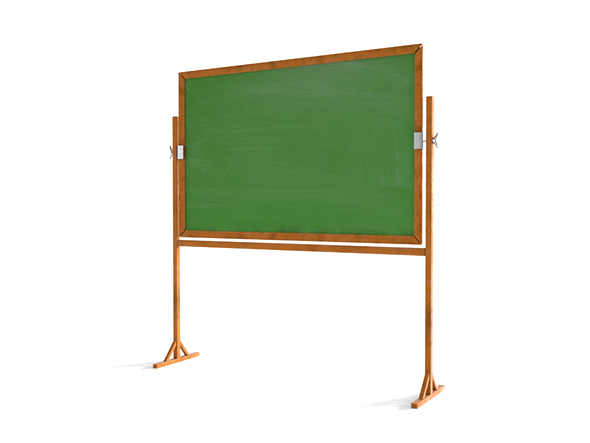
Chalkboard 3D Model
3D Model of Chalkboard. This is midpoly model with minimal polygon,
clean geometry, nice surface flow and ready to subdivide. -
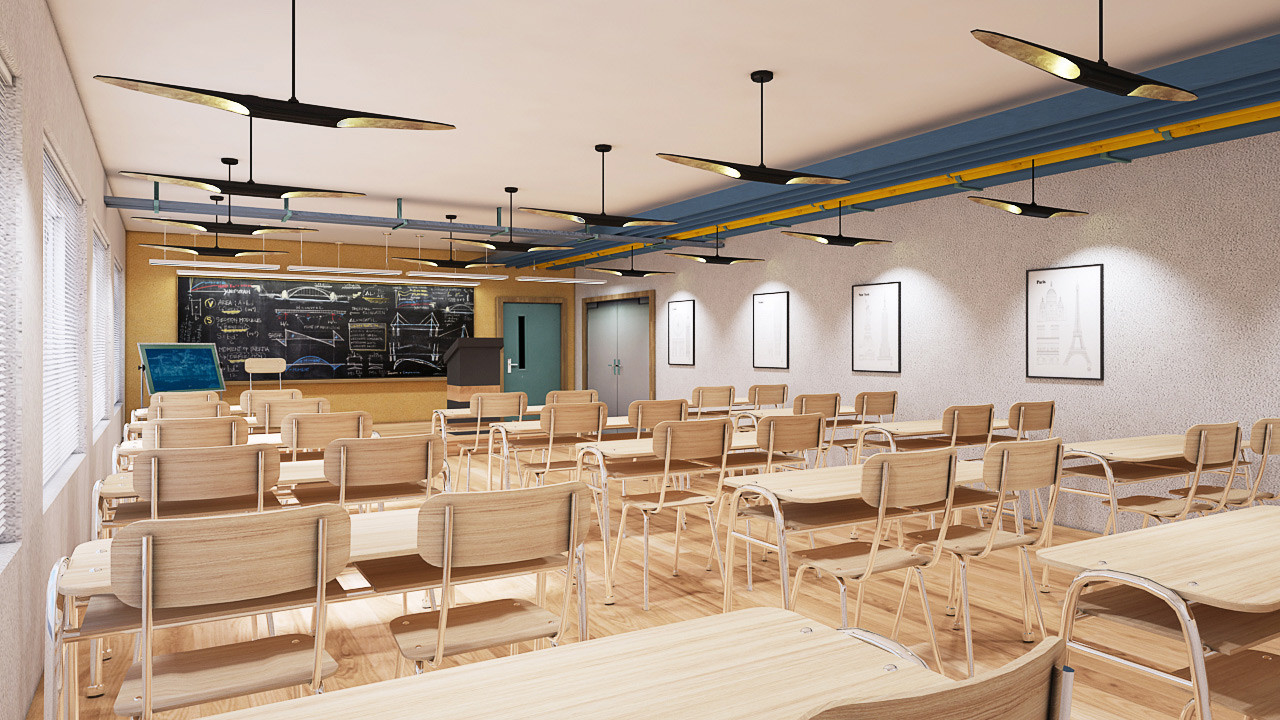
3D Classroom VR_AR_Game Ready model 3D Model
3D model of Classroom for virtual reality,Augmented reality And Games.========================= Summary InfoClassroom >Subdivision Level 0 >Polygon Count : 64105. >Tringle Count : 130309.Classroom Wall >Subdivision Level 0 >Polygon Count : 99. >Tringle Count : 196.Classroom_Floor >Subdivision Level 0 >Polygon Count : 4. >Tringle Count : 8.Classroom_Door >Subdivision Level 0 >Polygon Count : 186. >Tringle Count : 366.Classroom Table Sets >Subdivision Level 0 >Polygon Count : 48784. >Tringle Count : 98832.Classroom Frames >Subdivision Level 0 >Polygon Count : 153. >Tringle Count : 306.Classroom_Airpipes >Subdivision Level 0 >Polygon Count : 553. >Tringle Count : 1218.Classroom_Tubelight >Subdivision Level 0 >Polygon Count : 5352. >Tringle Count : 11110.Classroom_Window Blinds >Subdivision Level 0 >Polygon Count : 1464. >Tringle Count : 2928.Classroom_Window Frames >Subdivision Level 0 >Polygon Count : 5400. >Tringle Count : 11008.>Textures: 55 Numbers of textures,where 14 Number are Textures(Diffuse Map) can Use For Light Map Bake As per Your Environment, >No Need of further baking in Unity,Time saving for Rendering. >Light rig not included,Baked Textures are applied >Light Map Backed Model included,Backed In Vray 3.20.03 >Model does not include any backgrounds or scenes used in preview images. >Images(Priview) are from the baked version,they are real time snapshots from Unity 5.3.4 and Vizard(Evaluation Copy) application. >No special plugin needed to open scene. >Model is fully textured with all materials applied. =========================Available Formats >3ds Max 2013 standard(Diffused Textures Applied) >3ds Max 2013 standard(Baked Textures Applied) >FBX (Multi Format) >OBJ (Multi Format) >3DS========================Features>Diffuse Textures & Baked textures are 4096*4096 in Size,Few Baked textures in 2048*2048 in size. >Parts are correctly named, grouped with a Textures Name,So It Can be easy to find with Mesh Name. >Low Poly Modeling,With Proper UV Unraped. >No Overlapping. >Preview Are Realtime Rendering From Unity And WordVis Vizard(Evaluation Copy). >Default Textures(Diffuse Map) can Use For Light Map Bakeing As per Your Enviornmnet. >Every model has been checked with the appropriate software.======================= If you have any questions, please contact with Turbosquid support.Also check out our other models, just click on our user name to see complete gallery.======================== Thank your for buying Editpoint models at Turbosquid.