
Web icons set with rounded edges , great reflective forms and steel material .Include : House or home icon , Search icon, yes and no marks icon, Phone call icon, Arrow icon, Hand with finger icon , World icon.Was used procedure materials for textures. If you want to use correctly colors and materials, please use max file.Use material editor for assign digfferent materials.Please use HDRi map (included) for reflections.You can control polygons by using meshsmooth function.
Tag: Website
-

Cutout Facebook Symbol 3D Model
This is a model of a Facebook SymbolOriginally created with 3ds Max 2015|| USAGE ||This model is suitable for use in [broadcast, high-res film closeups, advertising, design visualization, forensic presentation, etc.]This model is using a scale of 1 unit = 1 cm|| SPECS ||This model is 1 objectsThis model contains 1636 polygons with Subdivision OFF This model contains 26176 polygons with 2 level SubdivisionIncludes V-ray material|| PRESENTATION IMAGES ||Preview Images are rendered using V-ray 3.00.08.This file includes information on lighting placement, exposure control and render settings.|| TEXTURES ||1 textures:facebook_sign_glossiness.png [2048×2048]1 HDRI:TSHero_HDRI_v10.exr [4000×2000]|| GENERAL ||Units used: Centimeters. Model is 3 cm tall.Scene objects are organized by layers / groups.FBX, OBJ, MAYA, BLENDER format only contain geometry data without subdivision.
-
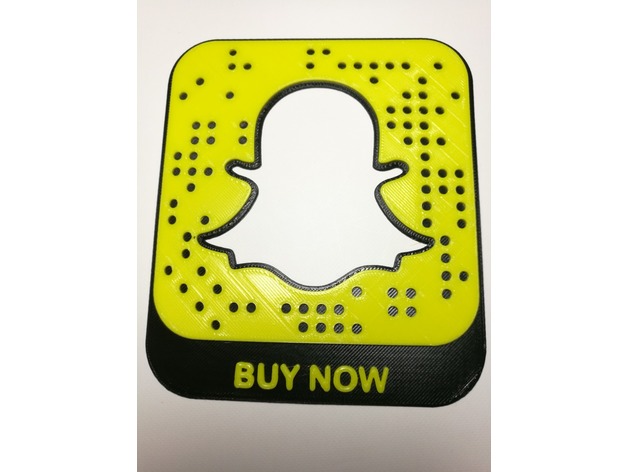
Custom Ghost Code Website
Summary
This is a 3d printed Snapchat code. The code will scan and direct to a website. For scalability high contrast is necessary. In one color it can be used for decorative purpose only.
These codes have been produced by CustomGhostCodes.com.
Print in Black filament and switch to yellow filament after the 1mm layer has finished. This will produce a scannable code.
Getting your own code:
If you want to use your own code, there are a few steps to achieve this.
Download your Snapcode SVG from Snapchat
Go into your favorite design program and pull the SVG into a model.
Export to a .STL file
Slice with your printer settings.
Add pause code to switch filament color.
Those are all the steps and you can produce your own code.
If you want this process done for you check out www.CustomGhostCodes.com
They will create your STL or complete the entire process for you.
Print Settings
Printer Brand:
SeeMeCNC Printer:
Rostock MAX v2 Rafts:
No Supports:
No Resolution:
.2 Infill:
30% Notes:
For this print to be scannable it must be printed in two colors. To achieve dual colors, the filament must be switched after the 1mm layer. This is done by entering pause code in the g-code.