Summary
Trapezoid Area, A= (a+b) × h /2, why?
Given any trapezoid, if the parallel top and bottom are a and b, respectively, and the corresponding height (altitude) is h, the area is (a+b) × h /2. But why?
To see why, we take two congruent copies of a trapezoid and make a parallelogram with the same height and a base of (a+b). Such a parallelogram can be easily converted to a rectangle with a base of (a+b) and height (h, or width), and, accordingly, an area of (a+b) × h. Why do we have to divide that by 2? Well, it is because we want to know the area of the trapezoid. Of course, there are other ways to explain it. One way or the other, it goes back to what we know about rectangles or other shapes.
Two versions are provided to demonstrate the process behind A= (a+b) × h /2. The trapezoid is just a random one. Have fun.
Print Settings
Rafts:
No
Supports:
No
Resolution:
.1 to .2mm
Infill:
5-20%
Tag: trapezoid
-
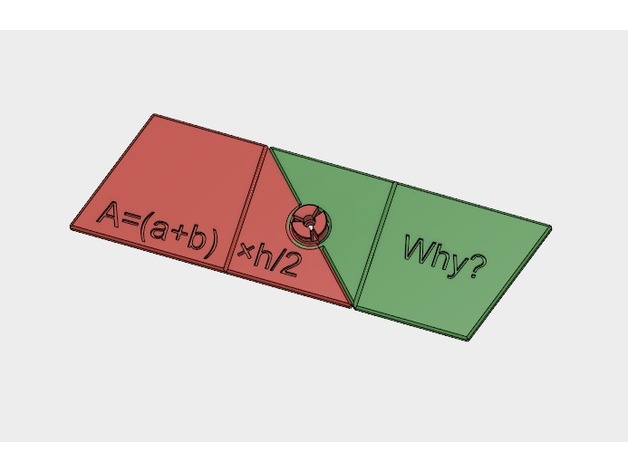
Trapezoid Area Formula, A= (a+b) × h /2, why? 3D Print Model
-
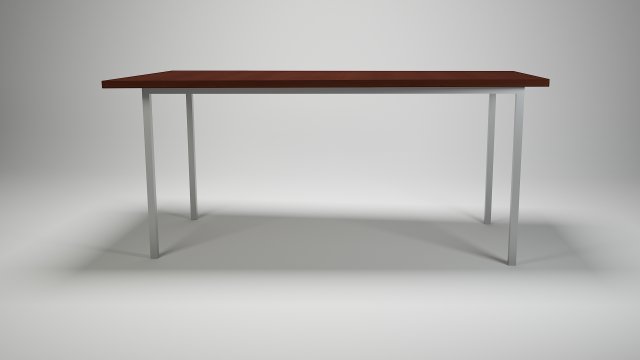
TRAPEZOID TABLE FOR KITCHEN-DINING ROOM – STEEL-WOOD MATERALS 3D Model
| MODEL DESCRIPTION |-This is a 3D model of a trapezoid table for kitchen or dining room. With wood top and steel structure-This model is suitable for use in architectural scenes or game scenes-Dimension: 180cm x 80cm x 75cm (WxDxH)| TECHNICAL SPECIFICATION |-Real-world scale-Units used: Centimetres-Total Polys: 70-Total Verts: 74-Model is composed in various objects linked togheter with “parent-child relationship”-All objects of the model are named-All textures are named-All materials are named-Gamma used: 2.2-All preview images are rendered with V-Ray| ARCHIVE CONTAINS |-.max file with scene fully configured for render with materials, lights and camera-.max file with only model objects-.fbx file with only model objects-.obj file with only model objects-Textures folder| ADDITIONAL NOTES |-If you like this model I would kindly ask you to rate it-Please check out my profile for more realistic model