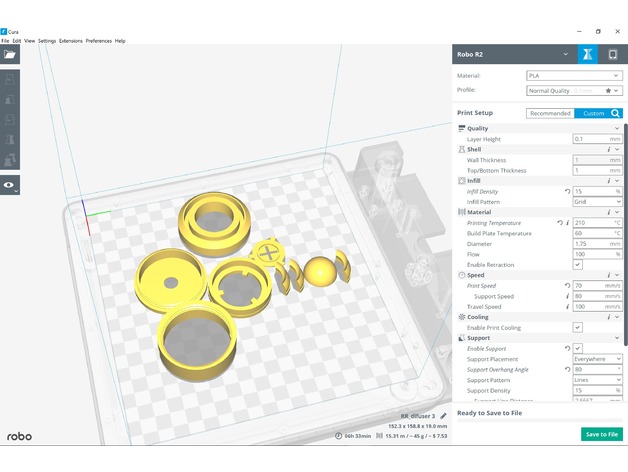
Summary
Led is sound reactive heres the code:
Also a youtube video demonstrating it. I will create the mask if enough people have interest but heres something Tali cosplayers can use for their masks.
Code:
include
include
ifdef AVR
include <avr/power.h>
endif
define PIN 6
define NUMPIXELS 1
//==============Defining variables for fix_fft=======================
int x = 0;
char im[128], data[128];
char data_avgs[14];
int i = 0, val, steady;
int l = 0;
Adafruit_NeoPixel pixel = Adafruit_NeoPixel(NUMPIXELS, PIN, NEO_GRB + NEO_KHZ800);
void setup() {
Serial.begin(9600);
pixel.begin();
pixel.show();
}
void loop()
{
//===================FFT algorithm=======================
for (i = 0; i < 128; i++)
{
val = analogRead(A9);
steady = val;
data[i] = val;
im[i] = 0;
}
fix_fft(data, im, 7, 0);
for (i = 0; i < 64; i++)
{
data[i] = sqrt(data[i] data[i] + im[i] im[i]);
}
for (i = 0; i < 14; i++)
{
data_avgs[i] = data[i 4] + data[i 4 + 1] + data[i 4 + 2] + data[i 4 + 3];
data_avgs[i] = map(data_avgs[i], 0, 30, 0, 9);
}
int value = data_avgs[0];
Serial.print(“Time domain: “);
Serial.println(steady);
Serial.print(“Frequency domain: “);
Serial.println(value);
delay(100);
pixel.setPixelColor(0, 75, 0, 130); //change color here by changing RGB values. In this case R=150, G=150, B=150
int bValue = map(value, 0, 30, 0, 255);
pixel.setBrightness(bValue);
pixel.show();
}
Custom Section