
Hitch Detailed 3d models of Samsung New TV Collection 2017:Samsung Q8C Curved QLED 4K TVPolygons: 35,000Samsung Q7C Curved QLED 4K TVPolygons: 23,000Samsung Q7F QLED 4K TVPolygons: 21,000Samsung KS9000 4K SUHD TVPolygons: 28,000Samsung KS9500 Curved 4K SUHD TVPolygons: 31,000Samsung KS9800 Curved 4K SUHD TVPolygons: 48,000Samsung One Remote ControlTopology of geometry:- forms and proportions of The 3D model most similar to the real object- detailed enough for close-up renders- the geometry of the model was created very neatly- there are no many-sided polygons- the model is ready and does not needed smoothing modifiersMaterials and Textures:- 3ds max files included Standart materials and Vray-Shaders- large size textures with layers (*.tiff) included- all textures paths are clearedOrganization of scene:- to all objects and materials names in scene are appropriated- real world size (system units – mm)- coordinates of location of the model in space (x0, y0, z0)- does not contain extraneous or hidden objects (lights, cameras, shapes etc.)File Formats:- original file format – 3ds max 2009 + Vray- 3ds max with standard materials- 3ds, obj, fbx (Multi Format)- Cinema 4D and Maya – exported with standard materialsRenders:- all previews rendered 3ds max Vray- the model is completely ready for use visualization in 3ds max + VrayBuying the Collection, you save 40%!Total cost $234,00Discount $95,00
Tag: MU
-
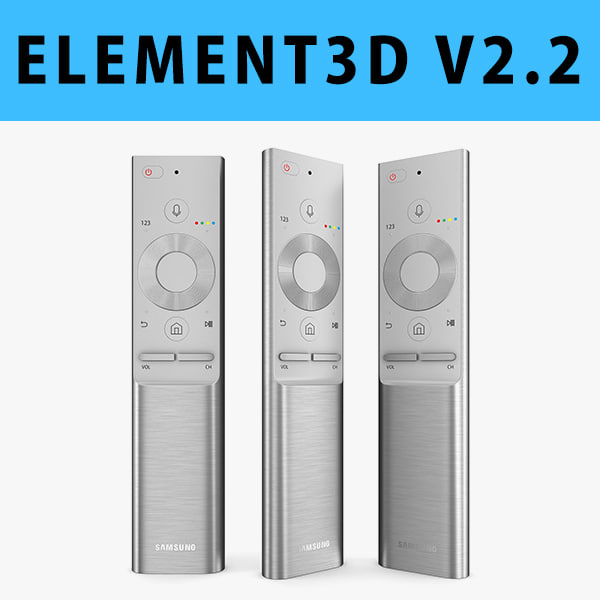
E3D – Samsung QLED TV Remote 2017 3D model 3D Model
This pack:Element 3D V2.2 ( All colors )models preset easy to use- 1 file OBJ High poly- 1 file OBJ standard- 1 file C4D R12 standard render- 1 file 3ds max 2012 standard material- E3D file full materials set up like previewsHow to use it?1. Open After Effects CC 2014 ( or higher) and create new composition ( You need Element3D V2.2 to use )2. Create new Solid layer and add Element effect. ( Effect/Video Copilot/ Element )3. Click Scene Setup4. Click on IMPORT inside Element3D scene setup5. Choose my .e3d preset for the model and press Open.If you dont see the model do not forget to right click on the model name and press Replace model then select the .obj model file in the respective models folder.