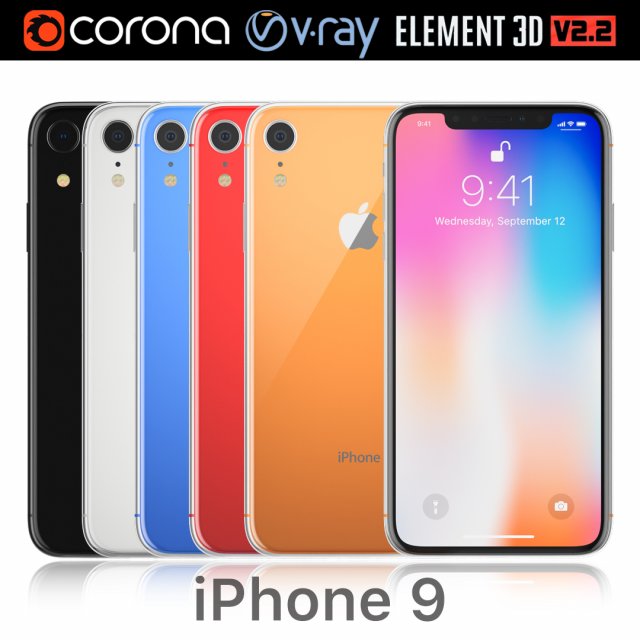
Realistic (copy) 3d model Apple iPhone 9 all colors.This set:3D element v2.2The model given is easy to use- 1 file obj standard- 1 file 3ds Max 2013 vray material- 1 file 3ds Max 2013 corona material- 1 file of 3Ds- 1 file e3d full set of materials.How to use it?1. Discovery after the impact of CC 2014-2017 (or above) and create a new composition (you need Element3D v2.2 to use)2. Create a new solid layer and add the effect of the elements. (Effect / Video Copilot / Element)3. Select Install Location4. Click on the import inside the Element3D Installation location5. Select my .e3d according to the model and click on the open button.If you do not see the model, do not forget to right click on the model name and press the replace model select.Topology of geometry:- forms and proportions of The 3D model- the geometry of the model was created very neatly- there are no many-sided polygons- detailed enough for close-up renders- the model optimized for turbosmooth modifier- Not collapsed the turbosmooth modified- apply the Smooth modifier with a parameter to get the desired level of detailMaterials and Textures:- 3ds max files included Vray-Shaders- 3ds max files included Corona-Shaders- all texture paths are clearedOrganization of scene:- to all objects and materials- real world size (system units – mm)- coordinates of location of the model in space (x0, y0, z0)- does not contain extraneous or hidden objects (lights, cameras, shapes etc.)
Tag: 5-8inch
-
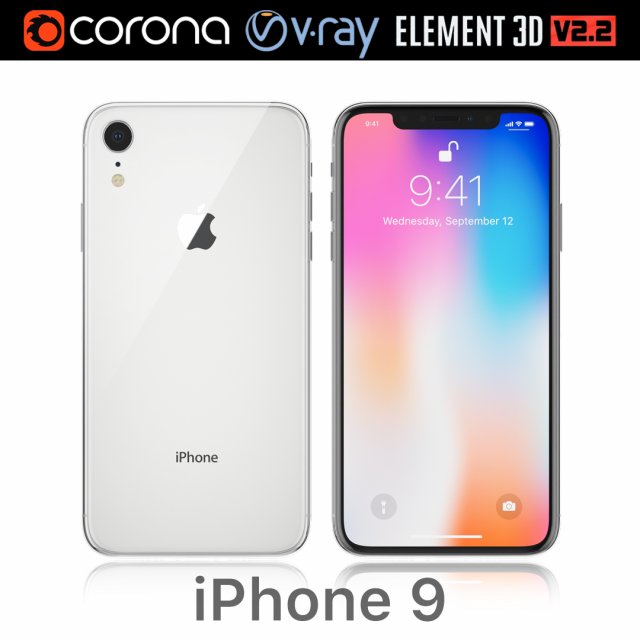
Apple iPhone 9 white 3D Model
Realistic (copy) 3d model Apple iPhone 9 white.This set:3D element v2.2The model given is easy to use- 1 file obj standard- 1 file 3ds Max 2013 vray material- 1 file 3ds Max 2013 corona material- 1 file of 3Ds- 1 file e3d full set of materials.How to use it?1. Discovery after the impact of CC 2014-2017 (or above) and create a new composition (you need Element3D v2.2 to use)2. Create a new solid layer and add the effect of the elements. (Effect / Video Copilot / Element)3. Select Install Location4. Click on the import inside the Element3D Installation location5. Select my .e3d according to the model and click on the open button.If you do not see the model, do not forget to right click on the model name and press the replace model select.Topology of geometry:- forms and proportions of The 3D model- the geometry of the model was created very neatly- there are no many-sided polygons- detailed enough for close-up renders- the model optimized for turbosmooth modifier- Not collapsed the turbosmooth modified- apply the Smooth modifier with a parameter to get the desired level of detailMaterials and Textures:- 3ds max files included Vray-Shaders- 3ds max files included Corona-Shaders- all texture paths are clearedOrganization of scene:- to all objects and materials- real world size (system units – mm)- coordinates of location of the model in space (x0, y0, z0)- does not contain extraneous or hidden objects (lights, cameras, shapes etc.)
-
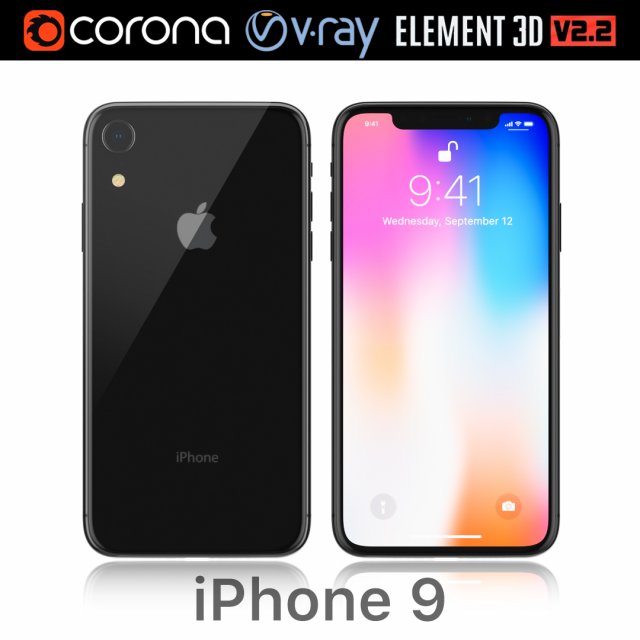
Apple iPhone 9 black 3D Model
Realistic (copy) 3d model Apple iPhone 9 black.This set:3D element v2.2The model given is easy to use- 1 file obj standard- 1 file 3ds Max 2013 vray material- 1 file 3ds Max 2013 corona material- 1 file of 3Ds- 1 file e3d full set of materials.How to use it?1. Discovery after the impact of CC 2014-2017 (or above) and create a new composition (you need Element3D v2.2 to use)2. Create a new solid layer and add the effect of the elements. (Effect / Video Copilot / Element)3. Select Install Location4. Click on the import inside the Element3D Installation location5. Select my .e3d according to the model and click on the open button.If you do not see the model, do not forget to right click on the model name and press the replace model select.Topology of geometry:- forms and proportions of The 3D model- the geometry of the model was created very neatly- there are no many-sided polygons- detailed enough for close-up renders- the model optimized for turbosmooth modifier- Not collapsed the turbosmooth modified- apply the Smooth modifier with a parameter to get the desired level of detailMaterials and Textures:- 3ds max files included Vray-Shaders- 3ds max files included Corona-Shaders- all texture paths are clearedOrganization of scene:- to all objects and materials- real world size (system units – mm)- coordinates of location of the model in space (x0, y0, z0)- does not contain extraneous or hidden objects (lights, cameras, shapes etc.)
-

Apple iPhone 11 all colors 3D Model
Realistic (copy) 3d model Apple iPhone X PLUS all colors.This set:3D element v2.2The model given is easy to use- 1 file obj standard- 1 file 3ds Max 2013 vray material- 1 file 3ds Max 2013 corona material- 1 file of 3Ds- 1 file e3d full set of materials.How to use it?1. Discovery after the impact of CC 2014-2017 (or above) and create a new composition (you need Element3D v2.2 to use)2. Create a new solid layer and add the effect of the elements. (Effect / Video Copilot / Element)3. Select Install Location4. Click on the import inside the Element3D Installation location5. Select my .e3d according to the model and click on the open button.If you do not see the model, do not forget to right click on the model name and press the replace model select.Topology of geometry:- forms and proportions of The 3D model- the geometry of the model was created very neatly- there are no many-sided polygons- detailed enough for close-up renders- the model optimized for turbosmooth modifier- Not collapsed the turbosmooth modified- apply the Smooth modifier with a parameter to get the desired level of detailMaterials and Textures:- 3ds max files included Vray-Shaders- 3ds max files included Corona-Shaders- all texture paths are clearedOrganization of scene:- to all objects and materials- real world size (system units – mm)- coordinates of location of the model in space (x0, y0, z0)- does not contain extraneous or hidden objects (lights, cameras, shapes etc.)
-
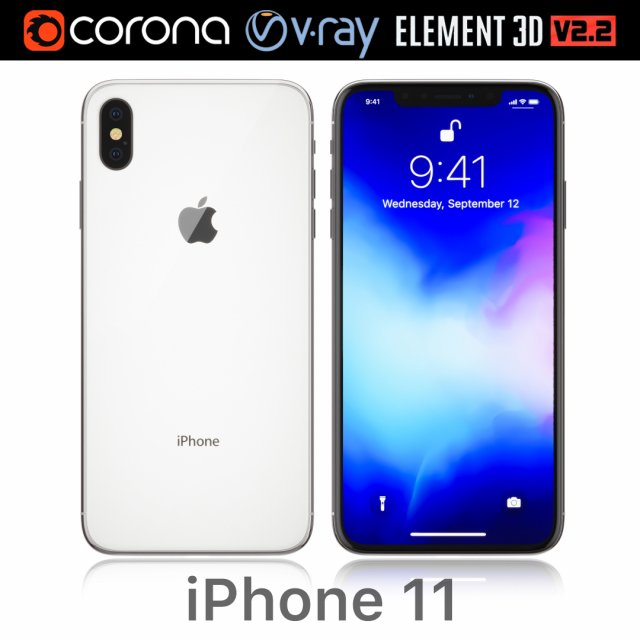
Apple iPhone 11 white 3D Model
Realistic (copy) 3d model Apple iPhone X PLUS white.This set:3D element v2.2The model given is easy to use- 1 file obj standard- 1 file 3ds Max 2013 vray material- 1 file 3ds Max 2013 corona material- 1 file of 3Ds- 1 file e3d full set of materials.How to use it?1. Discovery after the impact of CC 2014-2017 (or above) and create a new composition (you need Element3D v2.2 to use)2. Create a new solid layer and add the effect of the elements. (Effect / Video Copilot / Element)3. Select Install Location4. Click on the import inside the Element3D Installation location5. Select my .e3d according to the model and click on the open button.If you do not see the model, do not forget to right click on the model name and press the replace model select.Topology of geometry:- forms and proportions of The 3D model- the geometry of the model was created very neatly- there are no many-sided polygons- detailed enough for close-up renders- the model optimized for turbosmooth modifier- Not collapsed the turbosmooth modified- apply the Smooth modifier with a parameter to get the desired level of detailMaterials and Textures:- 3ds max files included Vray-Shaders- 3ds max files included Corona-Shaders- all texture paths are clearedOrganization of scene:- to all objects and materials- real world size (system units – mm)- coordinates of location of the model in space (x0, y0, z0)- does not contain extraneous or hidden objects (lights, cameras, shapes etc.)
-
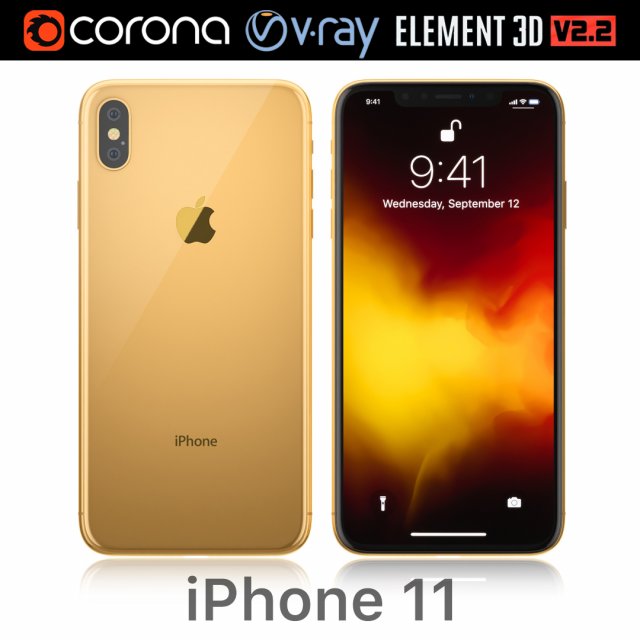
Apple iPhone 11 gold 3D Model
Realistic (copy) 3d model Apple iPhone 11 gold.This set:3D element v2.2The model given is easy to use- 1 file obj standard- 1 file 3ds Max 2013 vray material- 1 file 3ds Max 2013 corona material- 1 file of 3Ds- 1 file e3d full set of materials.How to use it?1. Discovery after the impact of CC 2014-2017 (or above) and create a new composition (you need Element3D v2.2 to use)2. Create a new solid layer and add the effect of the elements. (Effect / Video Copilot / Element)3. Select Install Location4. Click on the import inside the Element3D Installation location5. Select my .e3d according to the model and click on the open button.If you do not see the model, do not forget to right click on the model name and press the replace model select.Topology of geometry:- forms and proportions of The 3D model- the geometry of the model was created very neatly- there are no many-sided polygons- detailed enough for close-up renders- the model optimized for turbosmooth modifier- Not collapsed the turbosmooth modified- apply the Smooth modifier with a parameter to get the desired level of detailMaterials and Textures:- 3ds max files included Vray-Shaders- 3ds max files included Corona-Shaders- all texture paths are clearedOrganization of scene:- to all objects and materials- real world size (system units – mm)- coordinates of location of the model in space (x0, y0, z0)- does not contain extraneous or hidden objects (lights, cameras, shapes etc.)
-
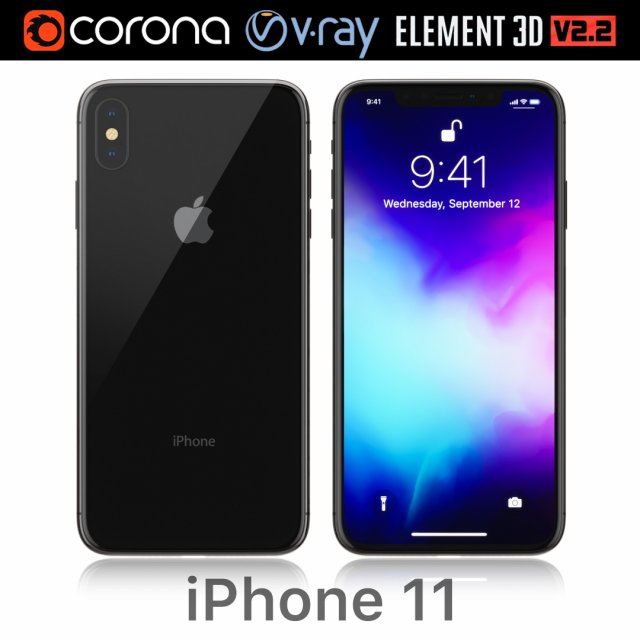
Apple iPhone 11 black 3D Model
Realistic (copy) 3d model Apple iPhone 11 black.This set:3D element v2.2The model given is easy to use- 1 file obj standard- 1 file 3ds Max 2013 vray material- 1 file 3ds Max 2013 corona material- 1 file of 3Ds- 1 file e3d full set of materials.How to use it?1. Discovery after the impact of CC 2014-2017 (or above) and create a new composition (you need Element3D v2.2 to use)2. Create a new solid layer and add the effect of the elements. (Effect / Video Copilot / Element)3. Select Install Location4. Click on the import inside the Element3D Installation location5. Select my .e3d according to the model and click on the open button.If you do not see the model, do not forget to right click on the model name and press the replace model select.Topology of geometry:- forms and proportions of The 3D model- the geometry of the model was created very neatly- there are no many-sided polygons- detailed enough for close-up renders- the model optimized for turbosmooth modifier- Not collapsed the turbosmooth modified- apply the Smooth modifier with a parameter to get the desired level of detailMaterials and Textures:- 3ds max files included Vray-Shaders- 3ds max files included Corona-Shaders- all texture paths are clearedOrganization of scene:- to all objects and materials- real world size (system units – mm)- coordinates of location of the model in space (x0, y0, z0)- does not contain extraneous or hidden objects (lights, cameras, shapes etc.)
-
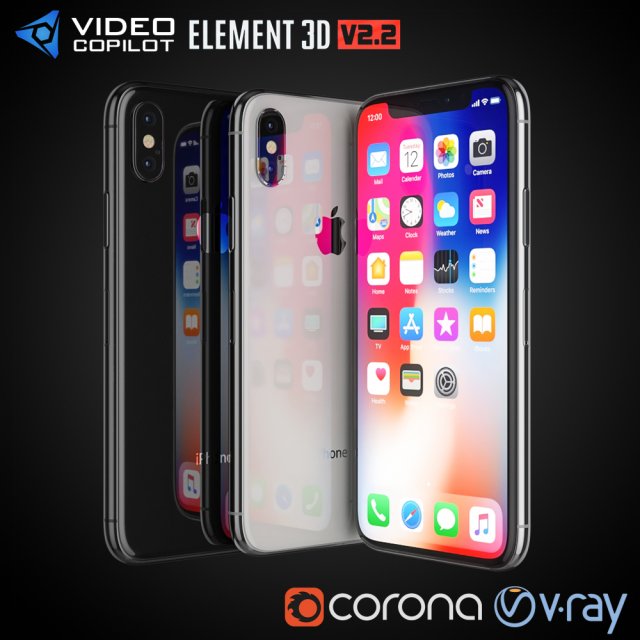
Apple iPhone X All colors 3D Model
Realistic (copy) 3d model Apple iPhone X.This set:3D element v2.2The model given is easy to use- 1 file obj standard- 1 file 3ds Max 2013 vray material- 1 file 3ds Max 2013 corona material- 1 file of 3Ds- file e3d full set of materials.How to use it?1. Discovery after the impact of CC 2014-2017 (or above) and create a new composition (you need Element3D v2.2 to use)2. Create a new solid layer and add the effect of the elements. (Effect / Video Copilot / Element)3. Select Install Location4. Click on the import inside the Element3D Installation location5. Select my .e3d according to the model and click on the open button.If you do not see the model, do not forget to right click on the model name and press the replace model select.Topology of geometry:- forms and proportions of The 3D model- the geometry of the model was created very neatly- there are no many-sided polygons- detailed enough for close-up renders- the model optimized for turbosmooth modifier- Not collapsed the turbosmooth modified- apply the Smooth modifier with a parameter to get the desired level of detailMaterials and Textures:- 3ds max files included Vray-Shaders- 3ds max files included Corona-Shaders- all texture paths are clearedOrganization of scene:- to all objects and materials- real world size (system units – mm)- coordinates of location of the model in space (x0, y0, z0)- does not contain extraneous or hidden objects (lights, cameras, shapes etc.)
-
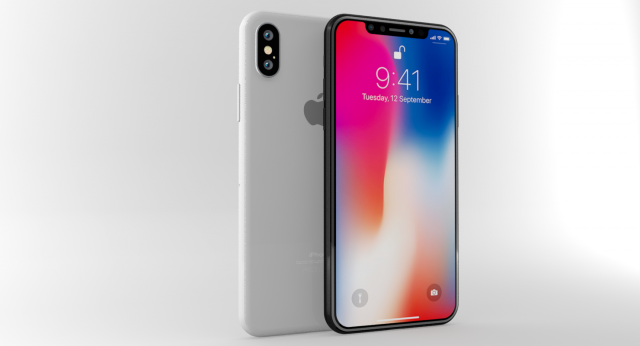
Apple iphone X White Gray 3D Model
Apple iphone X White & GrayThis Apple iphone X 3d Model Originally created with 3ds Max 2015, rendered with Mental Ray. This Apple iphone X 3d Model Includes light & Render setups.This Apple iphone X 3d Model Poly Count :Without Meshsmooth White/GrayPoly Count = 41843Vertex Count = 46330With Meshsmooth White/Gray (Iter : 1)Poly Count = 167131Vertex Count = 176286Model is placed at 0,0,0 scene coordinates.Every part of the model has been properly named.The model has Unwrapped UVs.This Apple iphone X 3d Model :Textures use : 1 TextureTextures size : 4096*4096pxTexture format: .pngThis Apple iphone X 3d Model : Available in many formats.3ds Max 2015 Mental RayOBJFBX3DS
-
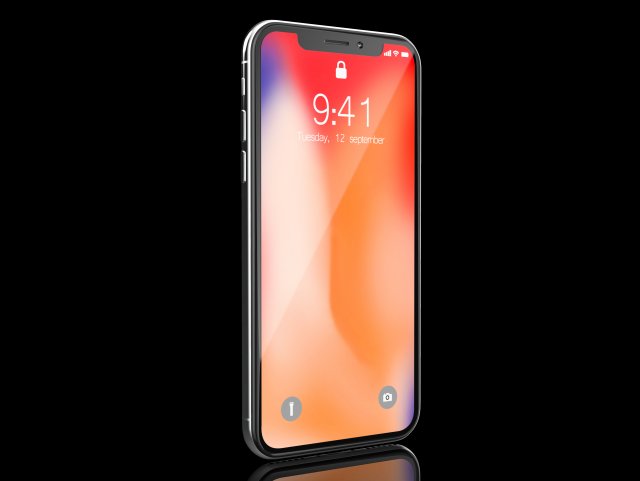
IPhone X 3D Model
High resolution, fully detailed and textured iPhone X.Features:- Originally created with 3ds Max 2017- Turbosmooth level 3 is set for all objects- High quality polygonal model- Unit system is set to metric (millimeters). Real-world scale- All colors can be easily modified.- All textures and materials are included and assigned- Model is fully textured with all materials applied.- No cleaning up necessary, just drop your models into the scene and start rendering.- No special plugin needed to open scene.- Previews rendered in 3ds Max 2017 with V-Ray 3.40.01File formats:- MAX (3ds Max 2017 Contains vray materials)- MAX (3ds Max 2014 Contains vray materials)- FBX (low poly)- OBJ (low poly)- STL (low poly)